
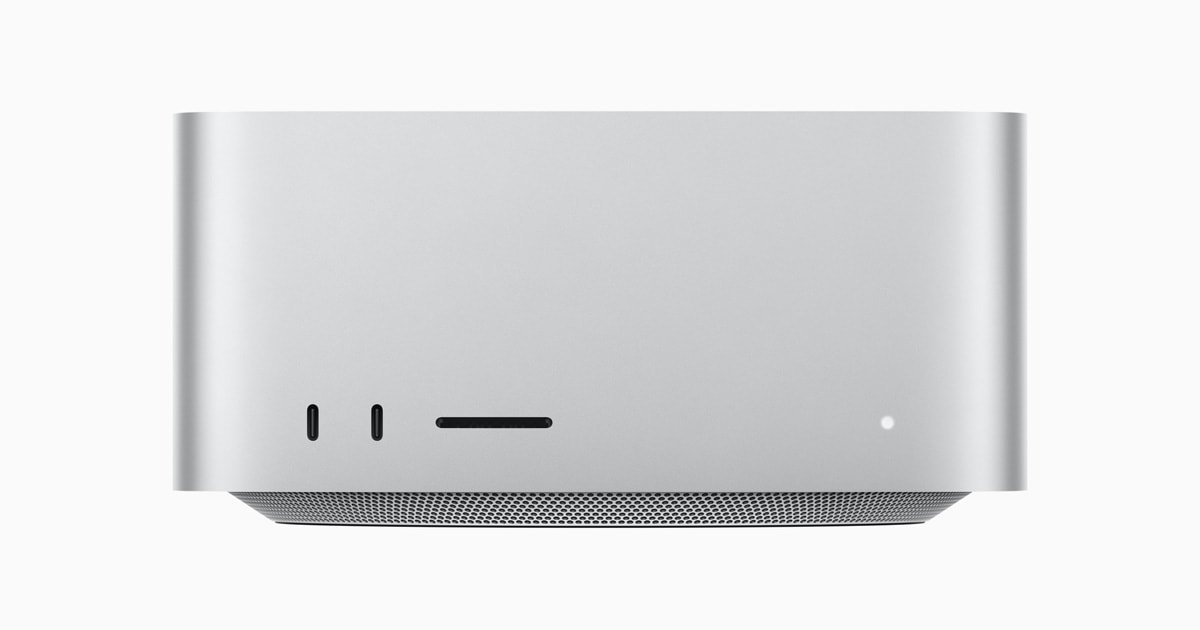


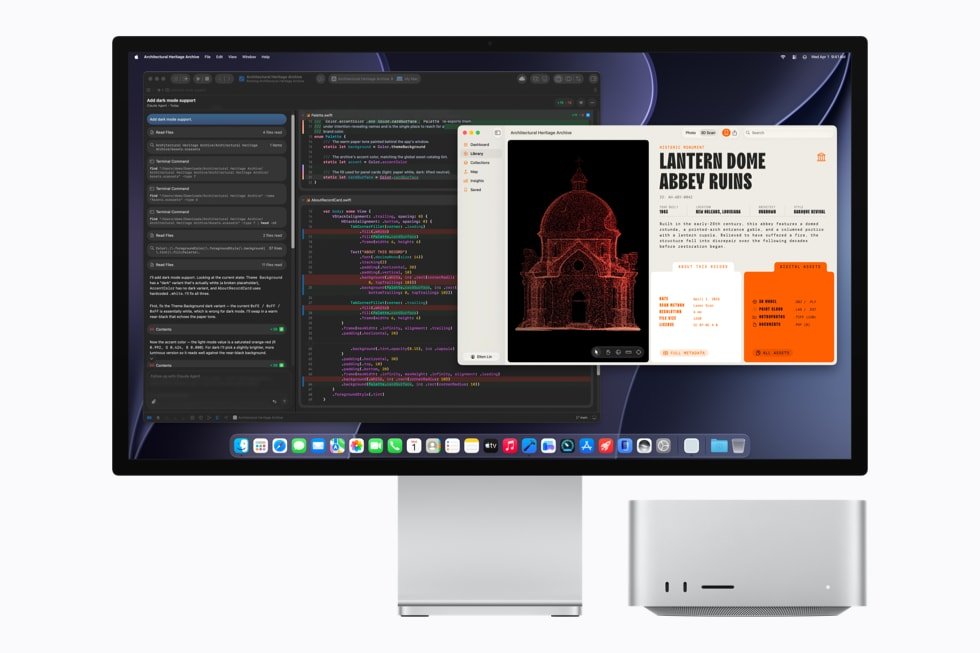



Apple Mac Studio (M3 Ultra)
Price range: $3,999.00 through $9,699.00
Previous-generation Mac Studio flagship: up to 32-core CPU, 80-core GPU, 512GB unified memory.
Mac Studio with M3 Ultra is the desktop that first proved a Mac could genuinely replace a rack of AI infrastructure — and it remains one of the best value entry points into that world. Built by fusing two M3 Max chips with Apple’s UltraFusion packaging, M3 Ultra offers up to a 32-core CPU and an 80-core GPU, the same generous 512GB unified memory ceiling as the newer flagship, and 819GB/s of memory bandwidth to keep it all fed. For studios, developers, and AI teams who want the huge-memory advantage of Apple’s Ultra tier without paying flagship-generation pricing, this is the machine.
Key Features
- Up to 32-core CPU — 24 performance cores and 8 efficiency cores, more CPU cores than any previous Mac at launch.
- Up to 80-core GPU — Apple’s largest graphics chip at the time of release, with Dynamic Caching, mesh shading, and hardware-accelerated ray tracing.
- Up to 512GB unified memory — enough to load local language models with several hundred billion parameters entirely in memory, no cloud dependency required.
- 819GB/s memory bandwidth — high-bandwidth architecture purpose-built for AI inference and pro creative pipelines.
- 32-core Neural Engine — dedicated on-device machine learning acceleration for Core ML and Apple Intelligence.
- Extensive I/O — six Thunderbolt 5 ports total, two USB-A ports, 10-Gigabit Ethernet, HDMI 2.1, and an SDXC card slot.
- Drives up to eight external displays from a single compact chassis.
- UltraFusion packaging — over 10,000 high-speed die-to-die connections deliver low-latency, near-monolithic performance from two linked chips.
The Established Choice for Local AI and Heavy Creative Work
M3 Ultra’s defining feature is still memory capacity, and that hasn’t been surpassed by anything else at this price point. With up to 512GB of unified memory shared between CPU, GPU, and Neural Engine, this Mac Studio can hold enormous open-weight models locally, letting developers, researchers, and AI-driven startups run inference and experimentation without renting cloud GPU time or shipping sensitive data off-site. Because macOS and Apple’s MLX framework are built specifically to exploit unified memory, you get performance per pound that’s difficult to match with a comparable Windows or Linux workstation.
Away from AI, M3 Ultra remains a genuine production powerhouse. Video editors can scrub and export multi-stream 8K ProRes timelines without proxies. 3D and VFX artists get an 80-core GPU with real headroom for GPU-accelerated renders in Redshift, Octane, and Blender. Music producers and audio post teams can run deep plugin chains across dozens of tracks without hitting a CPU ceiling. It’s the same class of workload the current flagship targets, delivered by a proven, previous-generation chip at a considerably lower entry price.
Choosing M3 Ultra over the newer M5 Ultra is a straightforward value decision: if your workloads are memory-bound rather than raw-compute-bound — which describes most local LLM inference — the extra headline speed of the latest chip matters far less than having the memory capacity to load the model at all. For teams equipping multiple workstations, that difference compounds fast, and a fleet of M3 Ultra Studios can often be assembled for close to the price of a single top-specification flagship configuration.
There’s also a reliability argument that’s easy to overlook when comparing spec sheets. M3 Ultra has been shipping in production environments for well over a year, meaning the driver stack, thermal behaviour, and macOS optimisation around it are thoroughly proven rather than freshly launched. Studios that need predictable, battle-tested performance for client deliverables — rather than being an early adopter of a brand-new architecture — often prefer exactly this kind of maturity. Combined with Apple’s standard warranty coverage and the long software support window every Mac receives, it’s a machine you can plan a multi-year production pipeline around with confidence.
Specifications
- Chip: Apple M3 Ultra (UltraFusion, two M3 Max dies)
- CPU: 28-core standard, configurable to 32-core (24 performance + 8 efficiency cores)
- GPU: 60-core standard, configurable to 80-core
- Neural Engine: 32-core
- Unified memory: 96GB standard, configurable to 256GB or 512GB
- Memory bandwidth: over 819GB/s
- Storage configurations available: 1TB, 4TB, or 8TB SSD
- Ports: 2x Thunderbolt 5 (front) + SDXC card slot, 4x Thunderbolt 5 + 2x USB-A (rear), HDMI 2.1, 10Gb Ethernet, 3.5mm headphone jack
- Display support: up to 8 external displays
- Wireless: Wi-Fi 6E, Bluetooth 5.3
- Dimensions: 7.7 x 7.7 x 3.7 inches
- Weight: 8.0 lbs (3.6kg)
- Operating system: macOS
| Configuration | 96GB RAM / 1TB SSD — 28-Core CPU, 60-Core GPU, 96GB RAM / 4TB SSD — 28-Core CPU, 60-Core GPU, 256GB RAM / 4TB SSD — 32-Core CPU, 80-Core GPU, 256GB RAM / 8TB SSD — 32-Core CPU, 80-Core GPU |
|---|
17 reviews for Apple Mac Studio (M3 Ultra)
Related products


Apple Mac mini (M4 Pro)
Price range: $1,399.00 through $2,799.00
Apple Mac Studio (M5 Ultra)
Price range: $5,499.00 through $14,299.00

MSI EdgeXpert MS-C931 – AI Supercomputer Based on NVIDIA DGX Spark Platform for Deep Learning
$6,499.00



Beelink GTi14 Ultra AI PC Intel® Core™ UItra 9 185H (OpenClaw Pre-Installed)
Price range: $1,099.00 through $1,399.00

Tobias L. –
Went for the previous generation deliberately to save a chunk of money and I don’t regret it one bit. Running local LLMs with well over 100 billion parameters entirely in memory is still a party trick that impresses every client who sees it.
Otis V. –
Freelance architectural visualisation and the combination of GPU power and huge memory headroom means I can keep enormous scene files open without ever worrying about running out of headroom mid-project.
Nadia P. –
Solid machine but I underestimated how much memory my genomics workflow would actually need and ended up wishing I’d configured the higher tier from the start. Apple’s inability to upgrade RAM after purchase is a real planning trap, so measure twice before you order.
Marielle D. –
GPU core count is fantastic for the 3D work I do, renders that took overnight on my old machine now finish before lunch. Only knock is that storage upgrades through Apple are steep, I’d have liked a cheaper path to more internal space.
Grace O. –
Excellent value now that the newer Ultra chip is out, prices on this one have come down and it still handles our 6K editing timelines beautifully. Just wish Apple would stop changing port layouts every generation so my old dock still worked.
Konstantin R. –
Great machine but I underestimated how much unified memory my VFX cache would eat through on longer sequences, ended up having to trim my working set more aggressively than I’d like. Would push for more memory than you think you need if buying for heavy compositing.
Delphine W. –
Local dev environment with several containers running plus a mid-size language model for testing, all at once, no slowdown. My one gripe is the physical port count meant investing in a decent hub for my multi-monitor setup, which was an extra cost I hadn’t budgeted for.
Emrys J. –
Our university lab picked up four of these for a computational research group and they’ve been rock solid, handling large simulation datasets that used to require booking time on shared cluster resources.
Percy A. –
Bought this instead of the newer Ultra chip specifically to save money and put the difference toward extra memory, and I’ve got zero regrets. Still comfortably the fastest machine I’ve ever owned.
Sian L. –
Editing 6K interviews and B-roll for a documentary and it handles multicam timelines without complaint. Nothing to fault performance-wise, just wish Apple made SSD upgrades less punishingly priced.
Aoife M. –
Fine-tuning smaller open models locally for a startup project and the bandwidth on this thing means iteration is fast, I’m not waiting around between training runs like I was on my old setup.
Reuben O. –
Run a small podcast network and this drives all our recording, editing, and streaming gear from one machine without ever feeling strained. Genuinely reliable, it just works day after day.
Verity K. –
Switched from a Windows workstation for a CAD-adjacent engineering tool and hit a wall where a niche plugin simply hadn’t been ported to Apple Silicon yet. Had to keep an old PC around for that one piece of software, which was frustrating given how good the Mac itself is.
Casper Y. –
Batch processing thousands of RAW files for panorama stitching and focus stacking used to be an overnight job, now it’s done before I’ve finished my coffee. The memory bandwidth genuinely matters for this kind of work.
Samuel A. –
Dead silent in my home studio which matters a lot when you’re recording vocals two feet away from the machine. Logic Pro sessions with well over a hundred tracks and heavy plugin chains don’t even make it flinch.
Clemency G. –
Solid, dependable machine for scoring and sample-heavy composition work, but my sample library collection has grown past what the internal storage comfortably holds and there’s no way to add a drive internally, so I’m now juggling an external SSD which is a mild but constant annoyance.
Oliver B. –
As a freelance retoucher doing high volume batch processing, the memory bandwidth on this thing is what sold me. Exports that used to take a coffee break now finish before I’ve even sat back down.