
Blog
Best Apple Silicon Workstations for Creators: Mac Studio, MacBook Pro, and Mac mini

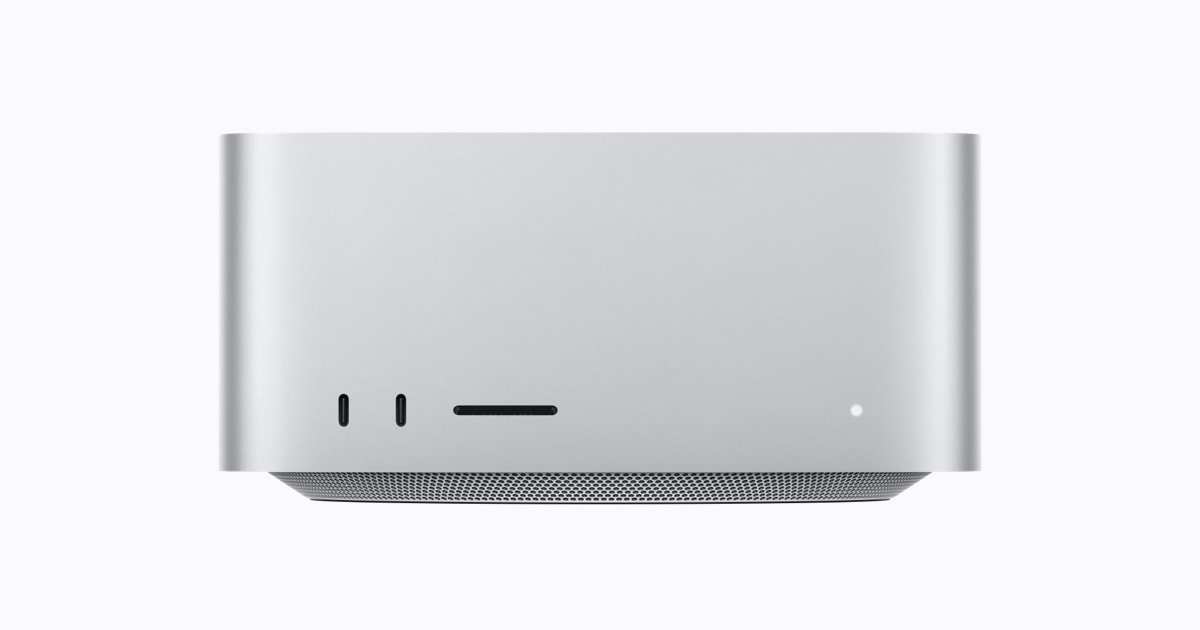
Best Apple Silicon Workstations for Creators: Mac Studio, MacBook Pro, and Mac mini is a practical buying guide for ComputaHardware shoppers who want a clear shortlist instead of a pile of unrelated product pages.
Creator workstations remain in demand because more buyers want one machine that can edit, render, develop, run AI tools, and handle large media libraries without a traditional tower.
This post focuses on Apple Mac Studio (M5 Ultra), Apple Mac Studio (M3 Ultra), Apple MacBook Pro (M5 Max), Apple MacBook Pro (M5 Pro), and Apple Mac mini (M4 Pro). It is written for video editors, developers, photographers, studio teams, and mobile professionals choosing Apple hardware and centers on editing timelines, compiling projects, managing RAW libraries, reviewing renders, and running local creative tools.
Affiliate-style content works best when it is honest about fit. The products below are not presented as identical alternatives; each one has a specific role, and each link goes directly to a live ComputaHardware product page so the reader can continue from research to purchase without hunting through the catalog.
Shop the Products Mentioned
- Apple Mac Studio (M5 Ultra) – best for creator and AI buyers who want maximum Apple desktop headroom.
View product - Apple Mac Studio (M3 Ultra) – best for buyers who want Ultra-tier Mac Studio capability with a value-minded generation choice.
View product - Apple MacBook Pro (M5 Max) – best for editors, ML engineers, and VFX users who need high-end portable power.
View product - Apple MacBook Pro (M5 Pro) – best for professional users who want sustained laptop performance with a more balanced spend.
View product - Apple Mac mini (M4 Pro) – best for shoppers who want a powerful Mac desktop in the smallest footprint.
View product
Why This Topic Has Search Demand
The strongest hardware searches in 2026 are tied to specific problems: running AI locally, replacing older Windows machines, building smaller desks, handling bigger files, and buying capable systems before component prices move again. Buyers are more careful, but they are still searching when a product category solves a real bottleneck.
For video editors, developers, photographers, studio teams, and mobile professionals choosing Apple hardware, the bottleneck is usually practical rather than abstract. The buyer may need a smaller machine, a stronger GPU memory tier, a cleaner docking setup, a workstation that fits on a desk, or a complete student/office computer that is ready quickly. That is why this guide keeps linking back to concrete products instead of staying at the category level.
The market context also rewards comparison posts. A single product review can be useful, but many shoppers search because they are between two or three options. Comparison content catches that intent, explains the tradeoffs, and gives each product a sensible buying role.
Product Shortlist
Apple Mac Studio (M5 Ultra)
Apple Mac Studio (M5 Ultra) is best for creator and AI buyers who want maximum Apple desktop headroom. The live ComputaHardware listing highlights Apple's highest-end desktop listing, positioned for studios, AI teams, rendering, and large unified-memory workloads. For shoppers focused on editing timelines, compiling projects, managing RAW libraries, reviewing renders, and running local creative tools, the main question is whether this product solves the repeated workload cleanly, not whether it simply has the longest feature list.
Consider this option when its strongest fit lines up with your day-to-day use. If the product page’s current configuration, availability, and price match the role you need, it deserves a place on your shortlist. View product
Apple Mac Studio (M3 Ultra)
Apple Mac Studio (M3 Ultra) is best for buyers who want Ultra-tier Mac Studio capability with a value-minded generation choice. The live ComputaHardware listing highlights Ultra-class Apple desktop performance with a large unified-memory ceiling for studios and developers. For shoppers focused on editing timelines, compiling projects, managing RAW libraries, reviewing renders, and running local creative tools, the main question is whether this product solves the repeated workload cleanly, not whether it simply has the longest feature list.
Consider this option when its strongest fit lines up with your day-to-day use. If the product page’s current configuration, availability, and price match the role you need, it deserves a place on your shortlist. View product
Apple MacBook Pro (M5 Max)
Apple MacBook Pro (M5 Max) is best for editors, ML engineers, and VFX users who need high-end portable power. The live ComputaHardware listing highlights Apple's top laptop configuration for mobile professionals who need workstation-class performance away from a desk. For shoppers focused on editing timelines, compiling projects, managing RAW libraries, reviewing renders, and running local creative tools, the main question is whether this product solves the repeated workload cleanly, not whether it simply has the longest feature list.
Consider this option when its strongest fit lines up with your day-to-day use. If the product page’s current configuration, availability, and price match the role you need, it deserves a place on your shortlist. View product
Apple MacBook Pro (M5 Pro)
Apple MacBook Pro (M5 Pro) is best for professional users who want sustained laptop performance with a more balanced spend. The live ComputaHardware listing highlights Professional MacBook Pro performance for developers, engineers, photographers, and editors who do not need Max-tier overhead. For shoppers focused on editing timelines, compiling projects, managing RAW libraries, reviewing renders, and running local creative tools, the main question is whether this product solves the repeated workload cleanly, not whether it simply has the longest feature list.
Consider this option when its strongest fit lines up with your day-to-day use. If the product page’s current configuration, availability, and price match the role you need, it deserves a place on your shortlist. View product
Apple Mac mini (M4 Pro)
Apple Mac mini (M4 Pro) is best for shoppers who want a powerful Mac desktop in the smallest footprint. The live ComputaHardware listing highlights Small Apple desktop with M4 Pro performance, aimed at developers, editors, and compact studio setups. For shoppers focused on editing timelines, compiling projects, managing RAW libraries, reviewing renders, and running local creative tools, the main question is whether this product solves the repeated workload cleanly, not whether it simply has the longest feature list.
Consider this option when its strongest fit lines up with your day-to-day use. If the product page’s current configuration, availability, and price match the role you need, it deserves a place on your shortlist. View product
How to Compare Before Buying
Desktop vs portable work
Mac Studio makes sense when the workstation stays in one place and drives a serious monitor, storage, and audio setup. MacBook Pro makes sense when performance has to travel between office, studio, client site, and home.
Use that factor as a filter, not as trivia. The best affiliate-style shortlist should remove bad-fit products quickly, then send the reader to the right product page for final stock, configuration, and pricing details.
Unified memory needs
Apple Silicon buyers should think about memory as part of the whole system. If large projects, AI models, or many professional applications stay open together, stepping up the product tier can matter more than chasing the lowest entry price.
Use that factor as a filter, not as trivia. The best affiliate-style shortlist should remove bad-fit products quickly, then send the reader to the right product page for final stock, configuration, and pricing details.
Thermal headroom
Sustained creative work is different from a short benchmark. Desktop Mac Studio systems are attractive when long render sessions, exports, and repeated heavy workloads are normal parts of the day.
Use that factor as a filter, not as trivia. The best affiliate-style shortlist should remove bad-fit products quickly, then send the reader to the right product page for final stock, configuration, and pricing details.
Desk expansion
Mac mini M4 Pro is tiny, which is wonderful for a clean desk, but creators should plan storage and ports early. Docks and external NVMe storage can turn a small desktop into a more complete studio workstation.
Use that factor as a filter, not as trivia. The best affiliate-style shortlist should remove bad-fit products quickly, then send the reader to the right product page for final stock, configuration, and pricing details.
Generation choice
The highest new model is not automatically the smartest purchase. M3 Ultra, M5 Pro, M5 Max, M5 Ultra, and M4 Pro all sit at different price/performance points, so the right buy depends on the workload ceiling.
Use that factor as a filter, not as trivia. The best affiliate-style shortlist should remove bad-fit products quickly, then send the reader to the right product page for final stock, configuration, and pricing details.
Affiliate-Style Buying Advice
Choose Mac Studio for fixed high-end studio work, MacBook Pro for professional mobility, and Mac mini M4 Pro for compact creator desks where external storage planning is part of the setup.
Before clicking buy, open the product pages in the shopping list and compare the current configuration details side by side. Check memory, storage, ports, operating system, warranty notes, included accessories, and whether the product is a better match for today's workload or a future upgrade plan.
For SEO and for shoppers, the best recommendation is specific. Do not buy a workstation GPU for a basic office desk, and do not buy a tiny office mini PC expecting it to replace a dedicated gaming tower. Buy the product that matches the task you repeat every week, then use the store page to confirm live availability and final price.
When to Step Up, and When to Keep It Simple
Step up only when the extra hardware directly supports editing timelines, compiling projects, managing RAW libraries, reviewing renders, and running local creative tools. More memory, faster storage, stronger networking, or a higher-end accelerator is worth paying for when it removes a bottleneck you already understand. If the workload is occasional, a more balanced configuration may be the better affiliate pick because it keeps the purchase focused on useful performance instead of unused overhead.
Keep it simple when the product will be used by video editors, developers, photographers, studio teams, and mobile professionals choosing Apple hardware for predictable everyday tasks. A buyer who mostly needs reliability, compact size, and clean setup should not be pushed into the most expensive option by default. That kind of honesty improves trust, and it also helps the reader click the product page that actually matches their intent.
A good checkout decision usually comes from matching three things: the workload, the desk, and the upgrade path. If all three point to the same product, the choice is easy. If one of them conflicts, use the blue product buttons above to compare the live listings again before committing.
Common Mistakes to Avoid
The first mistake is shopping by one number. TOPS, VRAM, CPU generation, bandwidth, or storage capacity can all be important, but none of them tells the whole story by itself. A balanced system that fits the use case will usually feel better than a mismatched product with one impressive headline.
The second mistake is forgetting the desk around the computer. Monitors, cables, docks, power, network speed, backup drives, and peripherals can decide whether a purchase feels clean or frustrating. That is especially true for mini PCs, NAS boxes, Mac storage docks, and compact AI workstations.
The third mistake is waiting so long that availability becomes the real problem. Component shortages and memory-driven price movement can make hardware shopping harder, so a focused shortlist is useful when a buyer already knows the work they need to do.
Bottom Line
If your search matches editing timelines, compiling projects, managing RAW libraries, reviewing renders, and running local creative tools, the products above are the ComputaHardware pages to compare first. Use the blue product buttons to open each listing, check the current details, and choose the option that fits your workload, desk, and budget.