




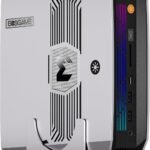

HP Z2 Mini G1a Workstation (AMD Ryzen AI MAX PRO)
Price range: $3,523.99 through $4,406.83
AMD Ryzen AI MAX PRO 385/395, up to 128GB RAM, Windows 11 Pro — compact pro workstation, mounts anywhere.
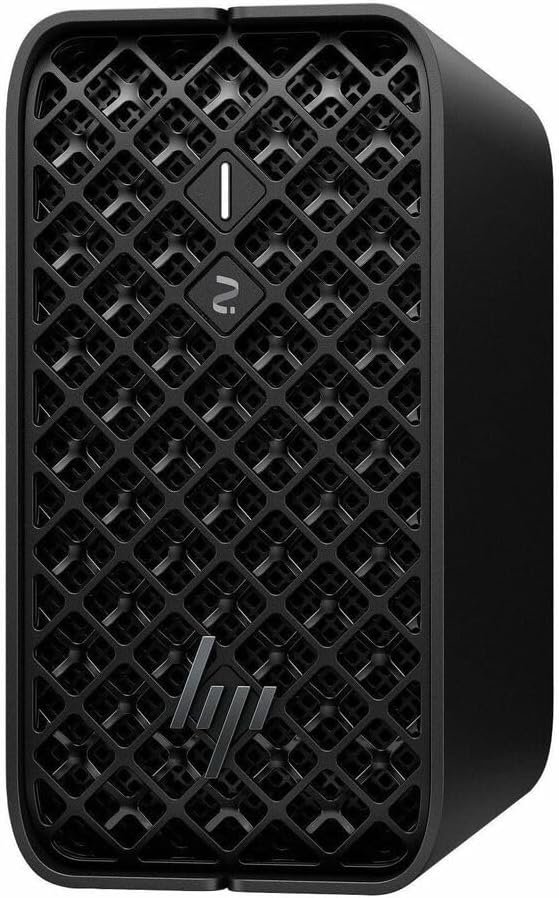
The HP Z2 Mini G1a is a compact, workstation-certified desktop built around AMD’s Ryzen AI Max PRO processor family, aimed at engineers, designers, and ML practitioners who need genuine workstation reliability and support — ISV certifications, MIL-STD durability testing, enterprise warranty — in a footprint small enough to mount behind a monitor. It’s positioned by HP explicitly for CAD, 3D design, rendering, and local AI/LLM inference, not as a gaming PC wearing a workstation badge.
Key Features
- AMD Ryzen AI MAX PRO Processor Options — from the Ryzen AI MAX PRO 385 (8 cores/16 threads, up to 5.0GHz, Radeon 8050S graphics) up to the flagship Ryzen AI MAX+ PRO 395 (16 cores/32 threads, up to 5.1GHz, 64MB L3 cache, Radeon 8060S graphics) — configure the platform to your workload and budget rather than being locked into one SKU.
- Up to 128GB Unified LPDDR5x Memory — a single coherent memory pool shared across CPU and GPU, with up to 96GB assignable directly to the integrated GPU via AMD Variable Graphics Memory for large local models.
- Up to 50 TOPS NPU Performance — dedicated AI acceleration for on-device inference workloads, on top of the CPU and integrated Radeon graphics compute.
- Storage Scales to 8TB — dual NVMe modules with RAID support, so demanding datasets and large model libraries don’t force a compromise on local storage.
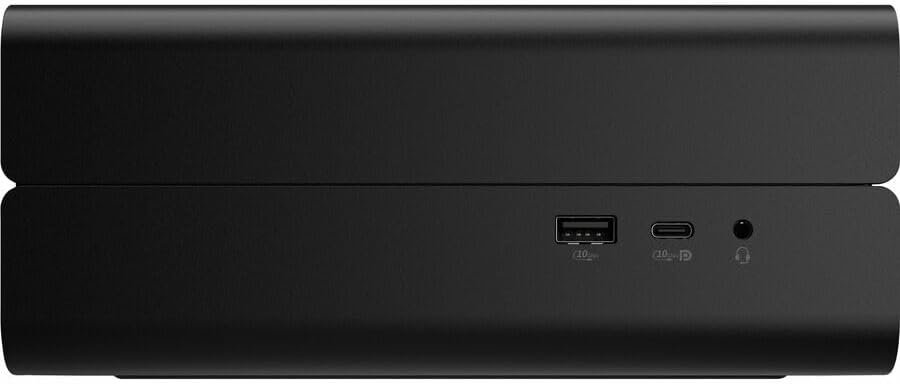
- Serious Connectivity for a Mini PC — 1x USB4-C (40Gbps/Thunderbolt 4), 1x additional USB-C (10Gbps), 2x USB-A (10Gbps), 2x Mini DisplayPort 2.1 UHBR10 driving up to four 4K displays, 2.5GbE networking, Wi-Fi 7, Bluetooth 5.4, plus two Flex I/O expansion slots offering ten additional I/O module options.
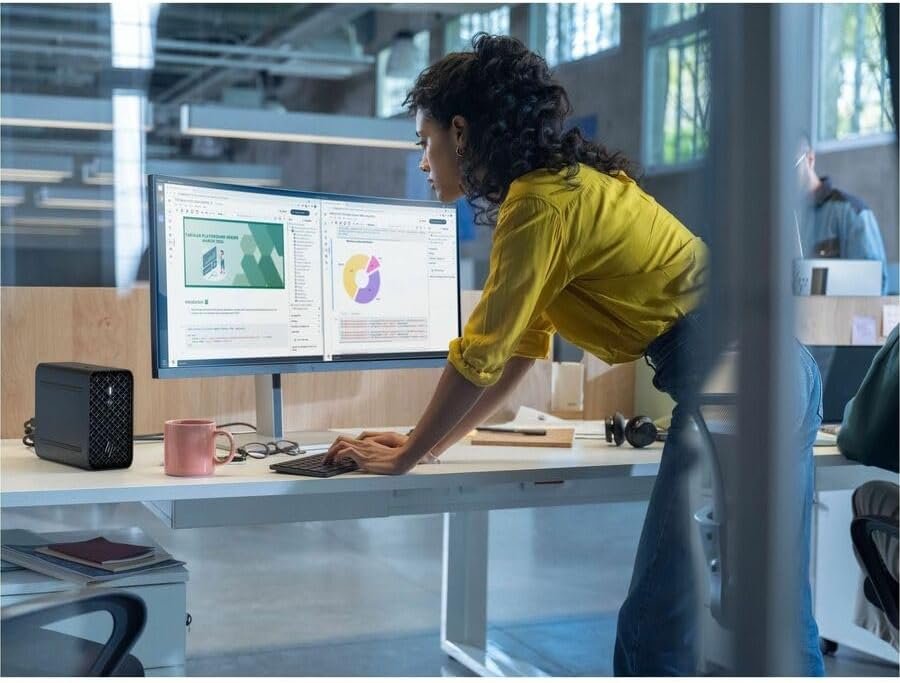
- Mount It Anywhere — on the desk, behind a monitor, or under a desk via an optional VESA mount accessory, with a chassis compact enough that HP rates roughly five units per 4U of rack space for shared deployments.
- Enterprise-Grade Build Quality — MIL-STD 810H durability tested, a high-airflow 3D mesh chassis, and 60% recycled plastics / 20% recycled steel construction, backed by HP’s workstation warranty and support structure.
- Windows 11 Pro, WSL2, or Linux — configure the OS to match your existing development environment.
Workstation Reliability Meets Local AI Performance
What sets the Z2 Mini G1a apart from consumer-grade Strix Halo mini PCs isn’t the silicon — it’s everything HP builds around it. This is a certified workstation, which means ISV application certification, a chassis engineered and tested to MIL-STD 810H standards, and a support and warranty structure built for organisations that can’t tolerate a desk-side machine failing mid-project. For teams already running HP Z-series workstations, that consistency in procurement, IT management, and support channel is worth real money, even before you get to the AI performance numbers.
On the AI side, the platform’s unified memory architecture is what actually matters for local model work: up to 128GB shared between CPU and GPU, with AMD’s Variable Graphics Memory letting you dedicate up to 96GB directly to the integrated Radeon GPU. That’s enough headroom to run genuinely large open-weight models locally — reviewers have specifically tested the top configuration running 120-billion-parameter class models without a discrete GPU, which is a meaningful proof point for anyone evaluating whether an APU-based system can replace a workstation GPU for local inference.
Being direct about the two workloads this machine serves: it’s genuinely strong for CAD, 3D rendering, and content creation where HP has deep ISV certification relationships, and it’s a capable local-inference and light fine-tuning platform for LLM work thanks to the unified memory pool and 50 TOPS NPU. It is not a training rig for large models from scratch, and ROCm software maturity — while substantially improved — still trails CUDA’s ecosystem depth for the most cutting-edge inference frameworks. Choose the Ryzen AI MAX PRO 385 configuration for CAD-and-office-plus-light-AI workloads, or step up to the AI MAX+ PRO 395 with 128GB when local LLM inference and larger models are the primary driver.
Specifications
- Processor (as configured): AMD Ryzen AI MAX PRO 385 (8C/16T, up to 5.0GHz, 32MB cache, Radeon 8050S) or AMD Ryzen AI MAX+ PRO 395 (16C/32T, up to 5.1GHz, 64MB cache, Radeon 8060S)
- NPU: AMD XDNA 2, up to 50 TOPS
- Memory: Up to 128GB unified LPDDR5x, up to 96GB allocatable to GPU via AMD Variable Graphics Memory
- Storage: Up to 8TB via dual NVMe modules with RAID support
- Display Support: Up to 4x 4K displays
- Ports: 1x USB4-C (40Gbps/Thunderbolt 4), 1x USB-C (10Gbps), 2x USB-A (10Gbps), 2x Mini DisplayPort 2.1 UHBR10, 2x Flex I/O expansion slots, UAJ headset jack
- Networking: 2.5GbE (with HP DASH manageability), Wi-Fi 7, Bluetooth 5.4
- Mounting: Desk, behind-monitor, or VESA wall/arm mount (accessory)
- Power Supply: 300W internal PSU
- Durability: MIL-STD 810H tested
- Sustainability: 60% recycled plastics, 20% recycled steel, 100% sustainably sourced outer packaging, EPEAT Gold Climate+ certified
- Operating System: Windows 11 Pro, WSL2, or Linux
- Configurations Available: AI MAX PRO 385 / 32GB / 1TB SSD; AI MAX PRO 385 / 64GB / 1TB SSD; AI MAX PRO 395 / 64GB / 1TB SSD; AI MAX PRO 395 / 128GB / 1TB SSD
| Configuration | AI MAX PRO 385 / 32GB / 1TB SSD, AI MAX PRO 385 / 64GB / 1TB SSD, AI MAX PRO 395 / 64GB / 1TB SSD, AI MAX PRO 395 / 128GB / 1TB SSD |
|---|
23 reviews for HP Z2 Mini G1a Workstation (AMD Ryzen AI MAX PRO)
Related products


ASUS Ascent GX10 AI Supercomputer (NVIDIA GB10 Superchip)
Price range: $5,899.00 through $7,899.00

Lenovo Legion T5 30AGB10 Gaming Desktop (Ryzen 7 7700X)
Price range: $2,899.47 through $3,387.21

Lenovo ThinkStation PGX GB10 1T LINUX Workstation (30KL0002US)
Price range: $5,849.00 through $7,879.00

Beelink SEi13 AI Intel® Core™ i7-13620H
Original price was: $2,059.00.$1,739.00Current price is: $1,739.00.

Beelink SER9 MAX AMD Ryzen™ 7 H 255 (OpenClaw Pre-Installed)
Price range: $959.00 through $1,239.00

Beelink SER9 PRO AMD Pro Ryzen™ AI 9 HX 370 (OpenClaw & Local LLM Pre-installed )
Price range: $1,169.00 through $1,389.00

Beelink SER8 AMD Ryzen™ 7 8745HS
Price range: $639.00 through $889.00

Dmitri S. –
Fair to note the 50 TOPS NPU figure is lower than the dedicated Ryzen AI Max+ boxes built specifically for local LLM throughput — this machine is better thought of as a strong CAD/3D workstation with useful AI acceleration bolted on, not a pure inference box. For our mixed workload that’s exactly right, but pure LLM shops should look elsewhere. Needed a couple of HP driver updates in the first month for NPU offload to behave consistently in certain apps.
Anouk J. –
Firmware was out of date on arrival — had to run a BIOS update before the AMD Variable Graphics Memory option even showed up correctly in settings. HP support talked me through it fairly quickly once I called in.
Selin T. –
Deployed a dozen of these across our engineering team and the SolidWorks ISV certification checked out with our internal CAD team’s validation testing. HP’s fleet imaging tools made rollout far less painful than our last hardware refresh.
Bianca F. –
Hardware is excellent but there’s a fair amount of pre-installed HP software that needed cleaning up before it felt like a proper clean workstation image. Not a dealbreaker, just extra setup time to budget for.
Karolina W. –
Windows 11 Pro plus WSL2 lets me run llama.cpp and LM Studio without leaving the environment our design team already standardizes on, which made rollout across the studio far easier than pushing everyone onto Linux for AI tooling.
Esme R. –
Runs heavy spreadsheet modelling alongside several VMs without issue. The three-year warranty terms were a big part of why we chose this over building something in-house.
Ibrahim F. –
Mounted this behind my monitor via the VESA bracket and it’s freed up a huge amount of desk space compared to my old tower workstation. Handles CAD work and a local LLM coding assistant side by side without either feeling starved for resources — HP’s build quality here is genuinely workstation-grade.
Livia S. –
One of two units we ordered arrived with a display output issue. HP’s RMA process took about ten days from ticket to replacement, which held up a new starter, but the replacement unit has worked flawlessly since.
Marcus T. –
Quiet and compact enough to sit in an open-plan office without anyone noticing it’s running, which was a real requirement for us. Ran into some early driver hiccups with NPU acceleration not engaging correctly in one of our rendering apps — an HP update a few weeks in resolved it, but worth knowing the first-gen software support wasn’t flawless out of the gate.
Willa E. –
From a procurement standpoint, the price premium over generic mini PCs is justified by the ISV certification and support SLA our engineering team actually uses. Only complaint is lead time on some of the custom configurations we ordered.
Amaya R. –
Rolled out six of these across our design studio and HP’s fleet management tooling made imaging and updates far less painful than our previous mixed-vendor workstation fleet. AI-accelerated rendering has been a genuine productivity win.
Nikolai P. –
Video editor here — DaVinci Resolve handles 4K timelines well on the Radeon 8060S graphics, and it’s quiet enough to sit in a shared edit bay without complaints.
Oscar H. –
Run Fusion 360 for a small CAD-based business and this handles it smoothly. Coming from a full tower, the footprint reduction alone has been worth it.
Malik S. –
Dual-purpose machine for us — CAD work during the day, local LLM inference for internal tools in the background. Handles both roles without stepping on itself.
Tariq M. –
Tested the MIL-STD durability claims somewhat by accident — this has been living in a dusty site office for months and hasn’t missed a beat. VESA mount also freed up a lot of desk space in a cramped trailer.
Saoirse K. –
Replaced iMacs in our small creative agency and the transition was smoother than expected. Had one older USB-A dongle that needed a firmware update to play nicely, otherwise no complaints.
Aiden C. –
Remote engineer here — USB4 dock support means one cable to all my accessories, and this replaced a much bigger tower workstation without any real workflow compromise.
Petra W. –
Using this for Revit plus rendering work and it handles most of what I throw at it well. On larger scenes I’ve occasionally had to bump the Variable Graphics Memory allocation manually in BIOS to keep things smooth.
Dean P. –
VESA-mounted behind my ultrawide for a home office setup and it’s near silent during video calls, which is exactly what I wanted after years of a noisy tower under my desk.
Ffion D. –
IT admin’s view: the warranty and support responsiveness have been genuinely good when we’ve needed them. Only gripe is wishing the base RAM configuration were more flexible without jumping straight to the top tier.
Corin B. –
Manage a fleet of these for CAD interns — easy to image, easy to manage remotely, and quiet enough for an open-plan office. Exactly what we needed.
Greta N. –
Design studio use, colour output through the display outputs has been accurate for our work. Needed one driver update to sort out a Wacom tablet compatibility hiccup early on.
Reuben T. –
Structural engineer running SolidWorks plus simulation workloads, and the ISV-certified driver stack has meant zero crashes so far. Exactly the reliability I was hoping for.